
On this page
Setting a default branch
Last updated on
30 July 2026
Before you try to change the default branch, make sure you have the right permissions.
You must have both Administer maintainers and Write to VCS permissions for the project on the drupal.org side, which means having the Maintainer role in GitLab. Differently, the Settings menu will not appear.
To set a default branch for your project:
- Go to your project page and click Source code to open GitLab.
- In the left sidebar, open Settings, then click Repository.
- Expand Branch defaults and choose the default branch.
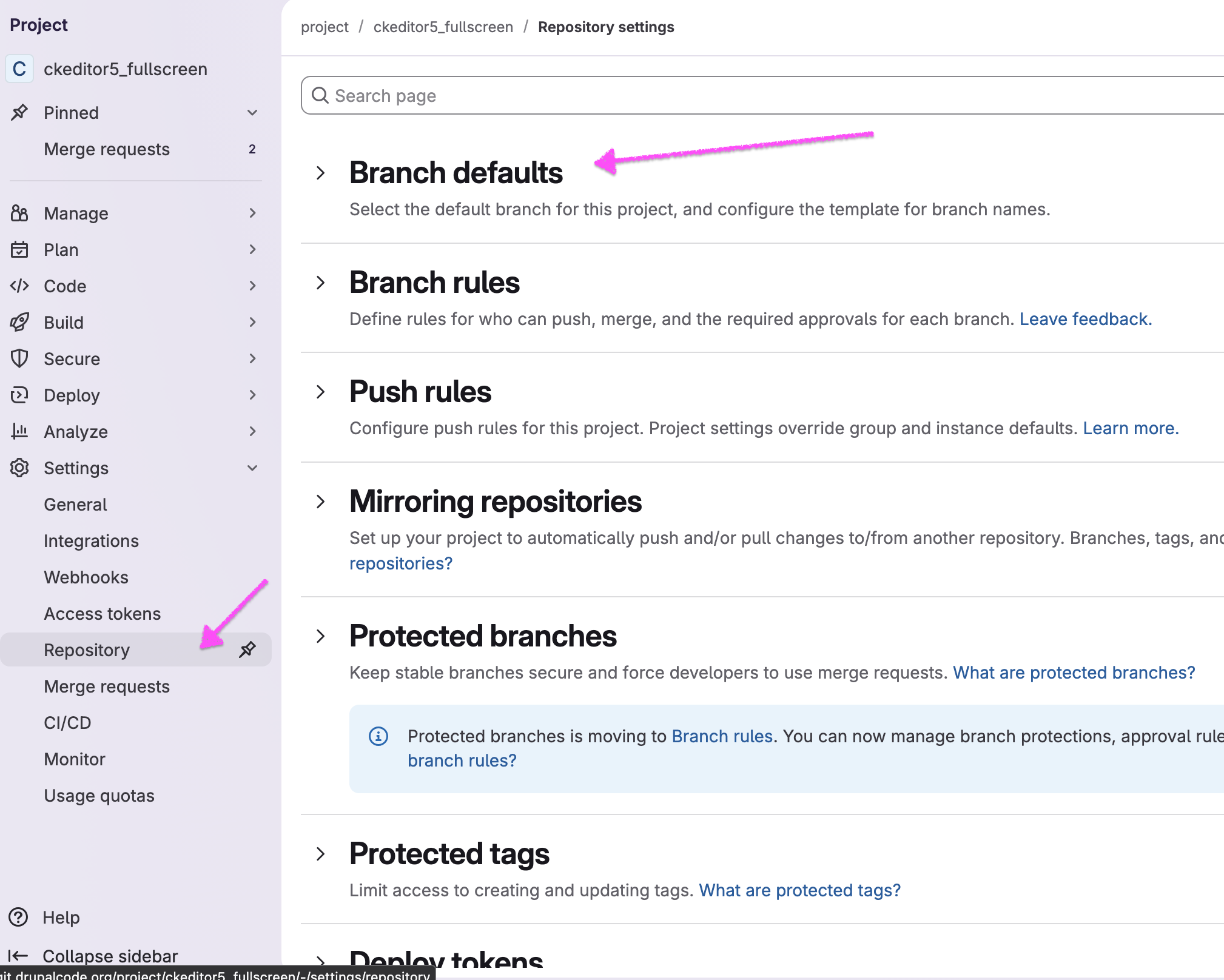
If you have the required permissions but still don’t see Settings, confirm that you are signed in to GitLab using the link in the top right corner.
The selected branch will be shown by default in the version control instructions and will be checked out when someone clones the project without specifying a branch.
Help improve this page
Page status: No known problems
You can:
You can:
- Log in, click Edit, and edit this page
- Log in, click Discuss, update the Page status value, and suggest an improvement
- Log in and create a Documentation issue with your suggestion
